+
.my
USD
  • Account
  • Sign Up
  • Sign In
You have no items in your shopping cart.
ABOUT 1OUTLETS
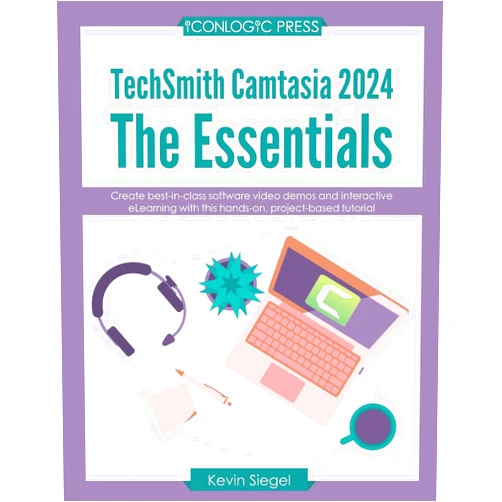
Home Shopping Books Computers & Technology Software TechSmith Camtasia 2024: The Essentials: Create best-in-class video demos and interactive eLearning with this hands-on, project-based tutorial.
Kevin Siegel TechSmith Camtasia 2024: The Essentials: Create best-in-class video demos and interactive eLearning with this hands-on, project-based tutorial.

Kevin Siegel TechSmith Camtasia 2024: The Essentials: Create best-in-class video demos and interactive eLearning with this hands-on, project-based tutorial.

Author

Kevin Siegel

( 150 reviews ) See Reviews (1Outlets)

In stock *In Stock - Subject to stock availability at point of fulfilment. In the event whereby the item is out of stock or unable to provide the service, 1Outlets will cancel the order and issue a Full refund in-store credit to you. SKU : 59c7f1f7b343e9861ea27abc428eb95c

USD18.25
  • Buy 2 for USD17.65 each and save 3%
  • Buy 10 for USD17.17 each and save 6%
Qty:

**Free Shipping Worldwide available - Shipping time may vary depending on the address.

**Circumstances Reroute - This is a time of great stress and uncertainty. We are actively validating, routing and re-routing orders with our overseas merchants, logistic partners and airlines. Deliveries and supply may expect delays.

**In Stock (Low Inventory Warning) - Subject to stock availability at point of fulfilment. In the event whereby the item is out of stock or unable to provide the service, 1Outlets will cancel the order and issue a Full refund in-store credit to you (See Refunds).

**Report or Request Removal  - Any copyrighted, DMCA, inappropriate, offensive, prohibited, potentially Illegal Listings (Submit doc here).

Details

Ignite Your Video Skills with TechSmith Camtasia 2024

TechSmith Camtasia 2024: The Essentials empowers you to craft captivating video demos and interactive eLearning experiences. This hands-on, project-based tutorial meticulously guides you through the essential features of Camtasia 2024, transforming you from a novice to a master in no time. Learn practical techniques, shortcuts, and strategies to create compelling visual content for your educational and professional endeavors. From simple screen recordings to sophisticated video edits, TechSmith Camtasia 2024: The Essentials is your ultimate companion to achieve excellence in video production.

Main Features

  • Powerful Editing Tools: Master professional-grade editing tools for video and audio enhancements, including cutting, trimming, and adding effects with ease.
  • Screen Recording Capabilities: Seamlessly record your computer screen, capture webcam views, and meticulously create high-quality tutorials.
  • Interactive E-learning Creation: Develop engaging and interactive eLearning courses using Camtasia 2024's advanced functionalities, including quizzes, assessments, and multimedia integration.
  • Customizable Animations: Apply captivating animations and transitions to enhance visual appeal and grab viewer attention effectively.
  • Effective Video Demos: Transform your video demos into persuasive presentations that leave a lasting impact, showcasing your skills and products with clarity.

Benefits

  • Improved Communication: Convey your ideas and instructions more clearly and engagingly through visually rich and informative videos.
  • Enhanced Productivity: Maximize efficiency and speed up your workflow with Camtasia 2024's intuitive tools and features.
  • Increased Engagement: Captivate your audience and boost learning retention with interactive video training programs and demonstrations.
  • Career Advancement: Showcase your skills effectively and demonstrate proficiency in video editing to impress potential employers and advance your career.
  • Creative Expression: Release your inner creator and craft video projects that inspire and delight, transforming ideas into compelling visuals.

Unique Selling Points / Competitive Advantages

  • Hands-on Project-Based Learning: Gain practical expertise by working through real-world video projects, allowing you to apply learned techniques immediately.
  • Beginner-Friendly Interface: Intuitive design for effortless navigation and mastery of Camtasia 2024, making it accessible for users of all skill levels.
  • Comprehensive Training: Thorough guidance and expert instruction, transforming you from beginner to video mastery.
  • Customizable Learning Paths: Learn at your own pace and focus on specific video editing techniques and tools that align with your skill development.
  • Community Support: Access an encouraging and supportive community of like-minded learners to share ideas and enhance your knowledge.

Usage Scenarios

  • Creating instructional videos: Develop clear and concise video tutorials for training and education.
  • Producing video demos: Craft engaging and informative demonstrations for software or product explanations.
  • Designing interactive eLearning courses: Build interactive courses for professional development, skill training, or educational purposes.
  • Making presentation videos: Transform your presentations into dynamic and engaging video resources.
  • Developing educational material: Enhance educational material with compelling videos that boost student engagement and retention of information.

Customer Reviews / Testimonials

  • Maria Rodriguez (Spain, 2023): "The TechSmith Camtasia 2024 tutorials were exceptional, guiding me seamlessly through video creation. I'm now creating professional-quality videos for my business!"
  • David Lee (USA, 2023): "This course on Camtasia 2024 was straightforward and easy to follow. Now I can confidently produce engaging videos for my presentations."
  • Aisha Khan (India, 2024): "Camtasia 2024's intuitive interface has significantly streamlined my workflow. I highly recommend this training course to anyone wishing to master video editing!"
  • Michael Chen (Canada, 2023): "This video editing tutorial exceeded my expectations, with exceptional instruction and detailed project examples that helped me gain confidence."
  • Sophia Sharma (Australia, 2024): "This course is fantastic for video production beginners. The project-based approach ensures that all the Camtasia 2024 tools are utilized properly."

Frequently Asked Questions

  • Q: What software is required for this tutorial? A: This tutorial focuses on the use of TechSmith Camtasia 2024. Ensure the software is downloaded before embarking on this learning journey.

  • Q: Can beginners take this course? A: Absolutely! The course is designed for all skill levels and provides comprehensive instruction suitable for novices.

  • Q: Is it accessible on different devices? A: The learning experience is adaptable for several devices.

  • Q: Can I access the community support throughout the course? A: Yes, the community support for TechSmith Camtasia 2024 can be accessed through various channels.

  • Q: How can I demonstrate video editing skills on a CV? A: Showcase your video projects, demonstrating your proficiency with the course software to impress employers and highlight your video editing expertise.

BUY NOW

Unlock your video potential with TechSmith Camtasia 2024, and craft engaging video demonstrations, instructional materials, and captivating eLearning experiences.

(Beta: User Generated 2024.0007)
Specification
Category: Books > Computers & Technology > Software
Author:

Kevin Siegel

Weight: 0.4944156833000001kgs
Language: English
ISBN-13: 978-1960604279
Terms & Warning